
Secret Santa Generator With Exclusions, Free for 200 Names
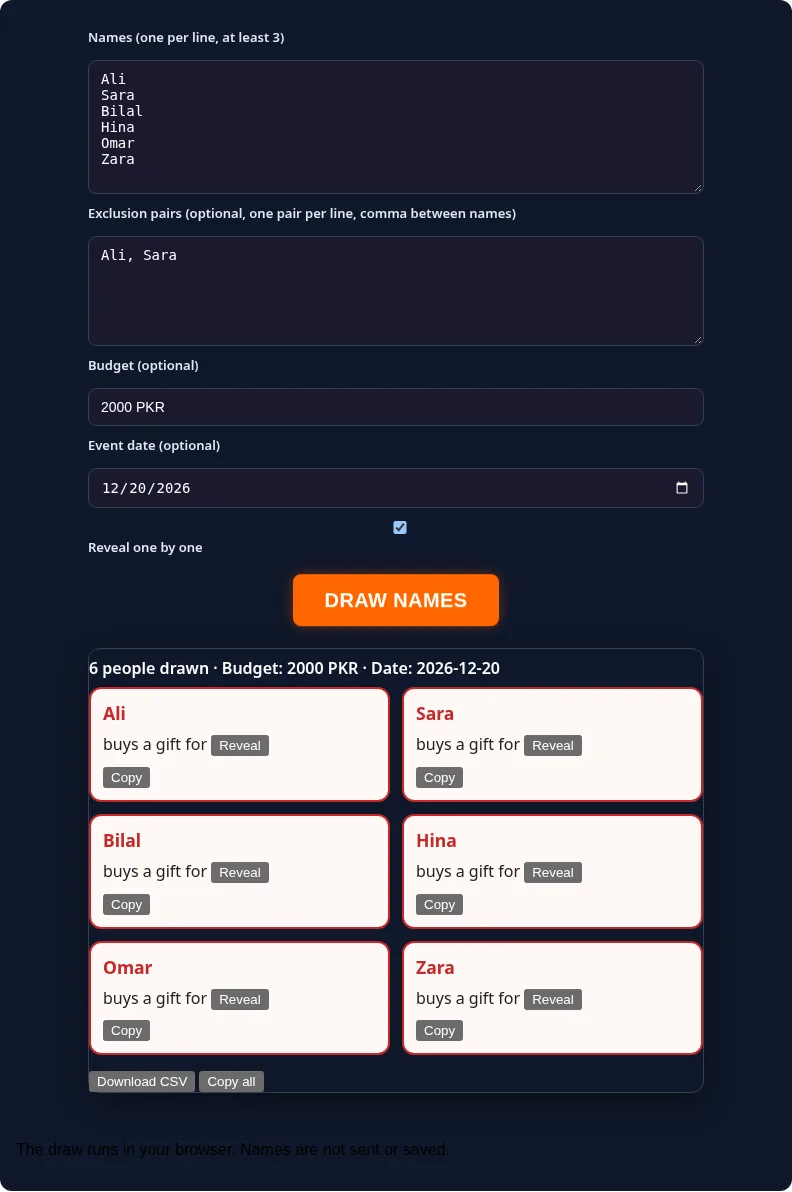
This secret santa generator draws names for your gift exchange in your browser. Type everyone in, add pairs who should not draw each other, set a budget and date if you like, then tap Draw Names. Nobody draws themselves, and nothing is sent or saved.
Private by design: everything runs in your browser. The names you type are never sent to any server.
The secret santa generator suits families, friend groups, classrooms, clubs and office teams. You do not need an account or an app, and nobody needs to share an email address. You get one card per person that says who buys a gift for whom, ready to reveal, copy or download as a CSV file.
Table of Contents
How to Use the Secret Santa Generator
- Type the names. One name per line, at least 3 and up to 200. Repeated names are counted once.
- Add exclusions (optional). One pair per line with a comma, for example Ali, Sara. Use it for couples, siblings or last year’s match.
- Set a budget and date (optional). They appear on every card and in the CSV file.
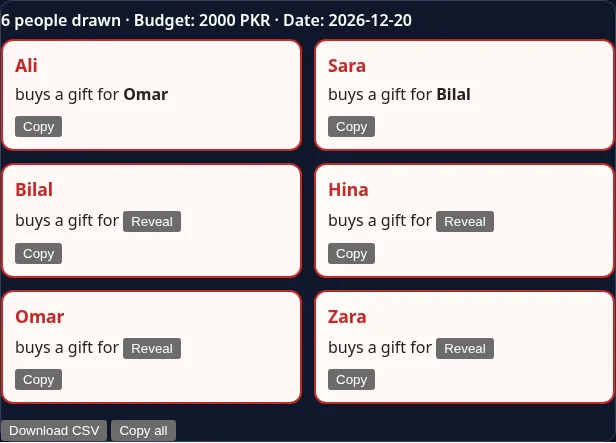
- Tap Draw Names. With Reveal one by one ticked, each receiver stays hidden until someone taps Reveal on that card.
- Share the matches. Copy a card for one person, Copy all for the full list, or Download CSV for the organizer.
Tip: test the secret santa generator with fake names first if your group has many exclusions. It takes seconds and shows whether a valid draw exists.
How It Works When You Draw Names Online
When you draw names online here, the secret santa generator shuffles the list and matches each giver to one receiver so that every person gives once and receives once. It rejects any match where someone gets themselves or an excluded partner, and it keeps trying other orders until every rule is met. If no order can meet the rules, you see a clear message instead of a broken result.
Exclusions in the secret santa generator are two-way. If you add Ali, Sara, then Ali cannot draw Sara and Sara cannot draw Ali. Names are matched without caring about capital letters, so ali and Ali count as the same person.
Secret Santa With Exclusions: Couples, Families and Last Year
- Couples: add each couple as a pair so partners buy for someone new.
- Families: add parent and child or sibling pairs when you want gifts to cross households.
- Last year’s match: add last year’s giver and receiver as a pair to keep it fresh.
- Small groups: with only 3 or 4 people, one or two pairs can make a draw impossible. Keep exclusions light.
Running an Office or Remote Secret Santa Online
For a remote team, run the secret santa generator once, copy each card and send it to that person in a private message on WhatsApp, Slack or Teams. Put the budget and the exchange date in the same message so nobody has to ask. For an office party, a shared screen with Reveal one by one works well if each person steps up alone.
Gift Exchange Budget and Tips
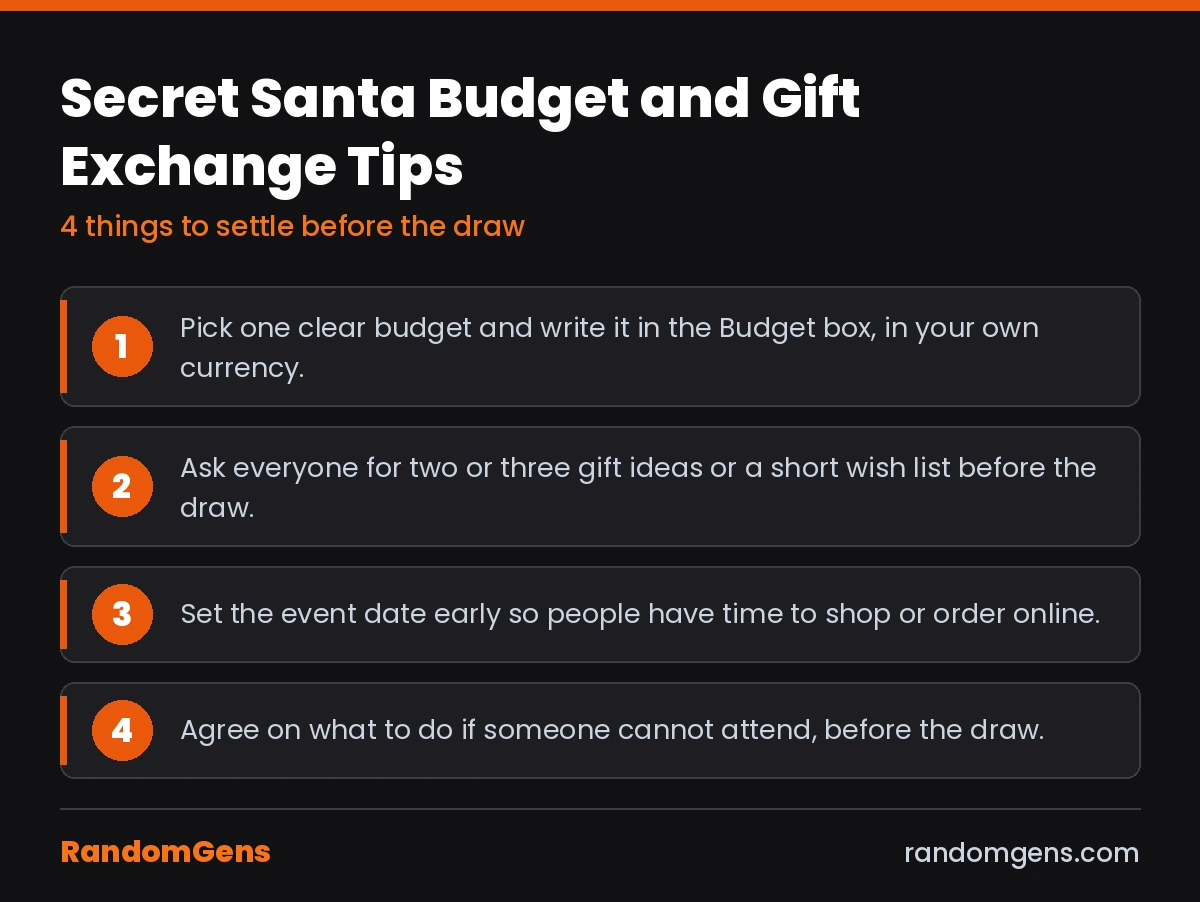
- Pick one clear budget and write it in the Budget box, in your own currency.
- Ask everyone for two or three gift ideas or a short wish list before the draw.
- Set the event date early so people have time to shop or order online.
- Agree on what to do if someone cannot attend, before the draw.
Privacy: What This Tool Does and Does Not Do
This secret santa generator runs the draw in your browser. The names, exclusions, budget and date are not sent to RandomGens and are not saved. That also means there are no private links or emails, so nobody has to hand over an email address. The person running the draw can see every match on screen, so use Reveal one by one or copy cards without reading them if the organizer is also playing. Reloading the page clears the result.
Frequently Asked Questions
Can someone draw their own name?
No. The secret santa generator never lets anyone draw themselves. Every person gives one gift and gets one gift.
Can I stop couples or family members from drawing each other?
Yes. Add an exclusion pair, one pair per line with a comma between the names, such as Ali, Sara. The rule works both ways, so neither person can draw the other.
What if my exclusions make the draw impossible?
The tool tells you that no valid draw is possible. Remove a pair or add more people, then tap Draw Names again.
Do I need email addresses or an account?
No. You only type names. There is no signup, no email and no app. The tool does not send messages, so you share each match yourself.
Can the organizer see who drew whom?
Yes, if they look. The whole draw appears on the screen of the person running it. Turn on Reveal one by one and pass the device around, or copy each card and send it privately without reading it. If the organizer also wants to play, ask someone outside the group to run the draw.
Can I share matches on WhatsApp?
Yes. Tap Copy on a card and paste it into a private WhatsApp chat or text with that person. The tool does not create links or send messages for you.
Can I add someone after the draw?
Not into the same draw. Add the new name to the list and draw again. That creates a fresh set of matches, so tell everyone to use the new one.
Are the names saved anywhere?
No. The draw runs in your browser and the names are not sent to RandomGens or saved. If you close or reload the page, the result is gone, so download the CSV or copy the cards first.